How-to auto create images for a blog post
Veröffentlicht
*I like automation most when it admits that some images need a steering wheel, not just a button.*
I built a system to auto-generate hero images for blog posts. It works perfectly until it does not. The basic idea is tidy: take the essence of a post, turn it into an image prompt, combine that prompt with the relevant image style, and let the publishing workflow produce something usable. For many posts, that is exactly what happens. Then a Danish Christmas candle appears, or a diagram needs to make sense, and the fantasy of full automation quietly leaves the room.
The easy images really are easy
For some blogs, automatic image prompting is almost suspiciously effective. On Letshygge.com, for example, a post may need a generic illustration of a Christmas dinner. Not a documentary image. Not a portrait of real family, friends, or co-workers. Just the visual idea of a warm seasonal meal.
That kind of image is well suited to an essence-based workflow. The post says Christmas dinner; the prompt captures atmosphere, setting, objects, and mood; the style prompt keeps the output consistent with the site. No one needs the generated tablecloth to be historically perfect. No one is checking whether the gravy boat matches a specific household.
This is where automation earns its keep. It removes repetitive translation work. A post already contains enough semantic material to suggest a useful image, and the system can package that material faster than a human should have to. I do not think every blog image deserves artisanal prompt carpentry.
Some images are placeholders with taste.
The candle exposes the lie
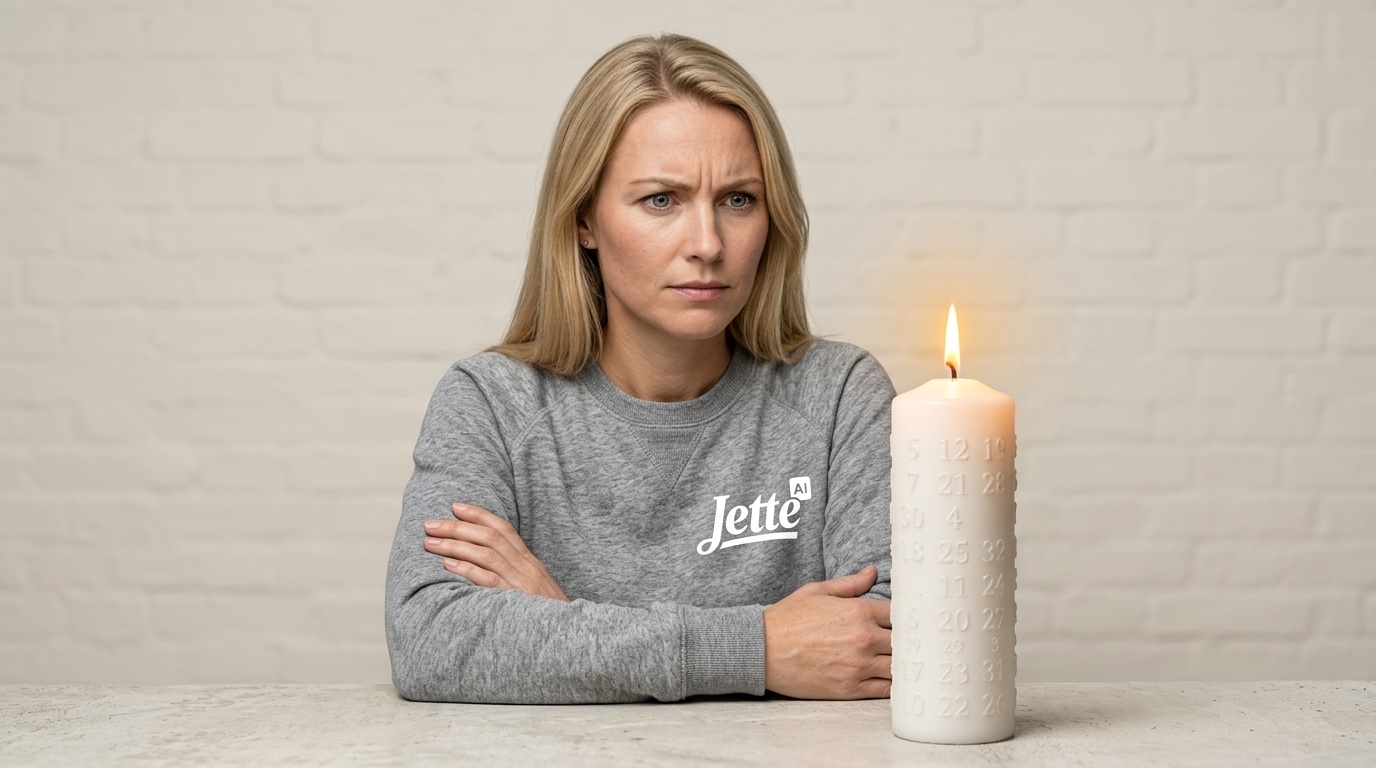
The trouble begins when the image is still “simple” to a human but not simple to the model. A Danish Christmas candle is a good example. It is not enough to render a candle with numbers on it. The image needs the numbers from 1 to 24. All of them. Not a decorative suggestion of counting. Not a charming almost-calendar.
That required explicit prompt refinement: all numbers between 1 and 24 are required.
This is the sort of detail that makes automation look less like magic and more like a very fast intern with selective attention. The model can grasp the scene, but it may not respect the constraint unless the constraint is nailed to the table. The more culturally specific or structurally precise the image becomes, the less I trust a single extracted “essence” to carry the whole job.
The hard part is not generating an image; it is knowing when the generated image has misunderstood the assignment.
That is not a failure of the workflow. It is a boundary.
Diagrams are not decorations
The same problem becomes sharper on Jette-AI.com and zenk.dk, where a hero image may need to incorporate a diagram or some technical structure. A diagram is not just an aesthetic element. It has relationships, hierarchy, labels, arrows, flow, and sometimes an argument hidden in the layout.
For those images, the automated prompt is a starting point, not the final instruction. The prompt often needs additional refinement in ChatGPT or Claude before being copied back into the CMS workflow. Only then does it get combined with the image style context or seed image.
I like this hybrid pattern. The system does the boring extraction and formatting. The human-directed refinement handles the meaning-sensitive part. Then the CMS workflow takes over again. The process is not fully automatic, but it is still faster and more consistent than starting from a blank prompt every time.
The important part is not pretending otherwise. Complex images need iteration. Sometimes multiple versions. Sometimes a prompt that becomes more like a tiny specification than a creative request.
10 Medien · zum Öffnen tippen
I think this is the honest future of AI-assisted publishing: automation for momentum, refinement for judgment. A generic Christmas dinner can glide through the machine. A numbered candle and a meaningful diagram deserve a hand on the wheel. Calling that a limitation misses the point; it is the part of the workflow that keeps the image connected to the idea.
Level two: auto-generating the hero video (five takes, four fails)
Since this post went live, the pipeline has grown a second button: turn a hero image into a short hero video. Technically it is the same trick as the images — one prompt, one API call to a video model (Kling and Seedance, brokered through fal.ai), and the clip lands in the media library with its price tag attached. The button is easy. The prompt, it turns out, is a small art form. Torben ordered a simple scene for the Kongespil page: Jette throws the baton, it barely grazes a kubb on the back line, the kubb tips over slowly, she is delighted. Five takes later we had it — and a small museum of failure, which its own video gallery at the end of this post now exhibits next to the winning take — every take, fails included.
Fail #1 — the model animates what you give it, not what you mean
The first take animated the wrong picture entirely. The media file name suggested the kubb post, but the pipeline takes the hero image of the post you point it at — and that was a leftover test post carrying the kite-trainer artwork. The result is a traction kite performing a kubb prompt. Money spent on motion is wasted if you have not looked at the seed image first.
Fail #2 — salience beats vagueness
Take two had the right image and a vague wish: 'the baton grazes one of the blocks'. The model aimed for the most prominent object on the pitch — the crowned king in the centre, which in kubb is precisely the block you must not hit first. A scene with a forbidden target needs an explicit flight path and an explicit target; left to itself, the model casts the star of the picture.
Fail #3 — boomerang physics
Take three grazed something, then the baton reversed course in mid-air, flew back across the pitch and knocked over a block on the opposite baseline — and Jette celebrated regardless. Video models happily invent physics to complete a storyline. Every moving object needs an ending written into the prompt ('drops into the sand and stays there'); motion without an endpoint keeps moving.
Fail #4 — the negation trap
For take four we wrote a strict storyboard with hard rules: 'the king is NEVER touched', 'NOTHING else moves'. The model obeyed in the worst possible way — blocks simply faded out of existence. Nothing moves if nothing exists. Generative video follows positive descriptions far better than prohibitions: say what IS in the scene ('the neighbouring blocks and the king keep standing calmly, fully visible'), and put stability wishes into the model's separate negative-prompt field if it offers one.
Take five — the storyboard that worked
The keeper came from Seedance 2.0 at ten seconds, with a prompt built like a tiny storyboard: chronological beats, positive phrasing only, one slow-motion moment at the contact, an endpoint for every moving thing, and a quieter, more human joy. And a new QA step that should have existed from take one: before anything ships, ffmpeg pulls a twelve-frame contact sheet from the clip so the physics can be checked frame by frame. Total tuition for this education: about five dollars.
What we do differently now
1. Verify the seed image before submitting — the model always follows the picture over the text.
2. Describe motion only; never re-describe what the still already shows.
3. Write chronological beats and give every object an endpoint ('comes to rest').
4. Positive phrasing only — negations produce vanishing objects, not obedience.
5. Watch the frames before publishing; a healthy start frame proves nothing about second seven.
The prompt guides agree with our bruises — see fal.ai's Kling prompt guide on motion-only prompting and endpoints, and Artlist on negative prompts for AI video on why stability wishes belong in the negative-prompt field, not the storyline.
Übrigens — wir vermieten ein Ferienhaus in Sønderho auf Fanø, falls du länger bleiben möchtest.
Kommentare
Schreib den ersten Kommentar.